by Deva Priya
Hello, Site24x7 community!
Ever had to jump between dashboards just to find out how your applications are connected or why one issue is affecting everything else? In today’s complex, interconnected application environments, identifying the exact component causing an issue can feel like finding a needle in a haystack.
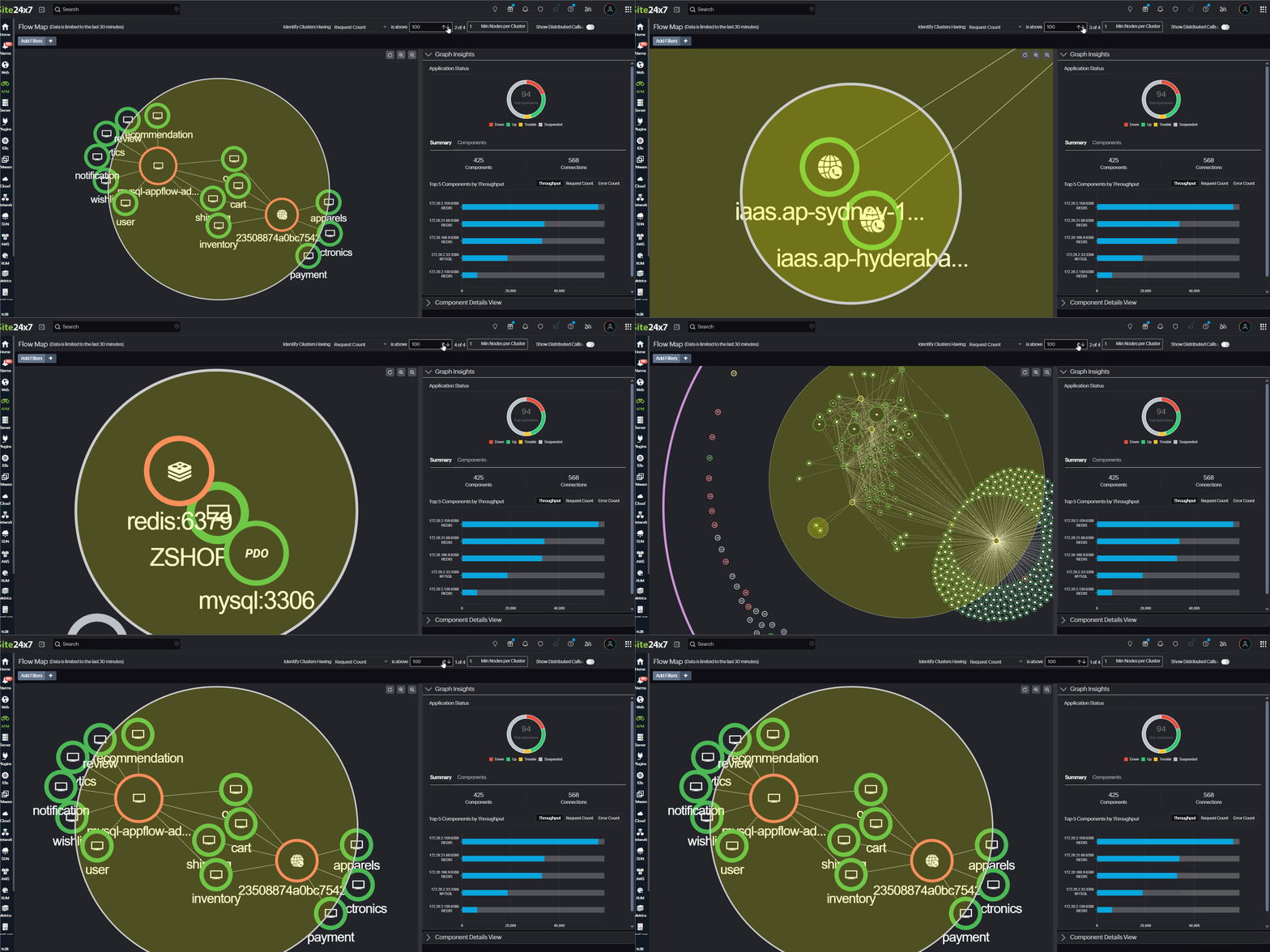
To solve this challenge, we’re introducing the Flow Map, a powerful visual view that shows how your applications and components connect, helping you identify problem areas at a glance.
With this feature, you can now see how all your applications and components communicate in real time; quickly identify bottlenecks, errors, and high-traffic areas; and drill down into component-level and transaction-level performance—all in a single, unified view.
How the Flow Map works
- Each node in the Flow Map represents an application or component, and edges show interactions between them.
- Use color-coded health indicators (Up, Down, Trouble, and Critical) and dynamic node sizing to understand the health status of each application instantly and each component at a glance. Nodes scale based on the number of requests each component receives, making high-traffic components stand out instantly.
- Highlight clusters based on Throughput, Request Count, or Total Response Time to identify high-impact components.
- Drill down into components directly from the Flow Map to analyze key performance metrics in detail.
- Distributed Calls display only the applications and their interactions, giving you a simplified view of cross-application communication.
- Use the Add Filters option to quickly focus on the applications that matter most.
To try it out:
Head to APM > Flow Map in your Site24x7 console to explore your account-level application topology and start optimizing performance.
For more details, please refer to our help documentation.
No more blind spots. The Flow Map shows it all.
Have questions or suggestions? Join the conversation in the comments. Happy monitoring!
Your partners in monitoring,
The Site24x7 team
Like (1)
Reply
Replies (0)