
by Janani Sekar
The Ask Zia interface brings together all your conversations, investigations, autonomous operations, and pending approvals in one place. You can revisit past interactions with Zia, review autonomous operations performed during incident management, and track previously approved actions at any time. This gives you greater visibility into the actions Zia has taken and helps you understand how and why certain actions were made.
What's changed?
Ask Zia now offers a unified interface with enhanced visibility, control, and transparency over AI-driven interactions and operations.
- Context management: Interact with Zia using monitoring context from supported Site24x7 pages to analyze data, get suggestions, and generate summaries.
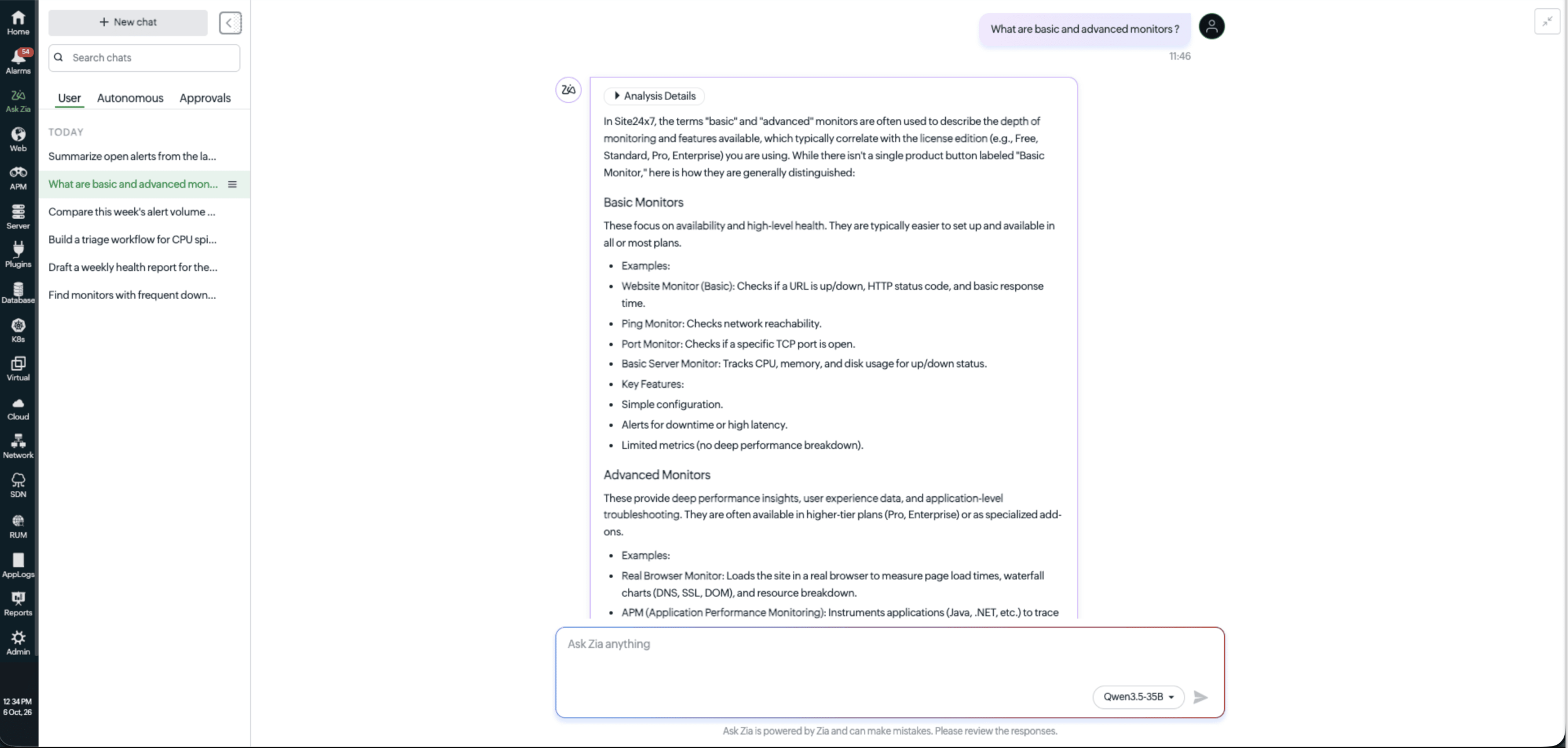
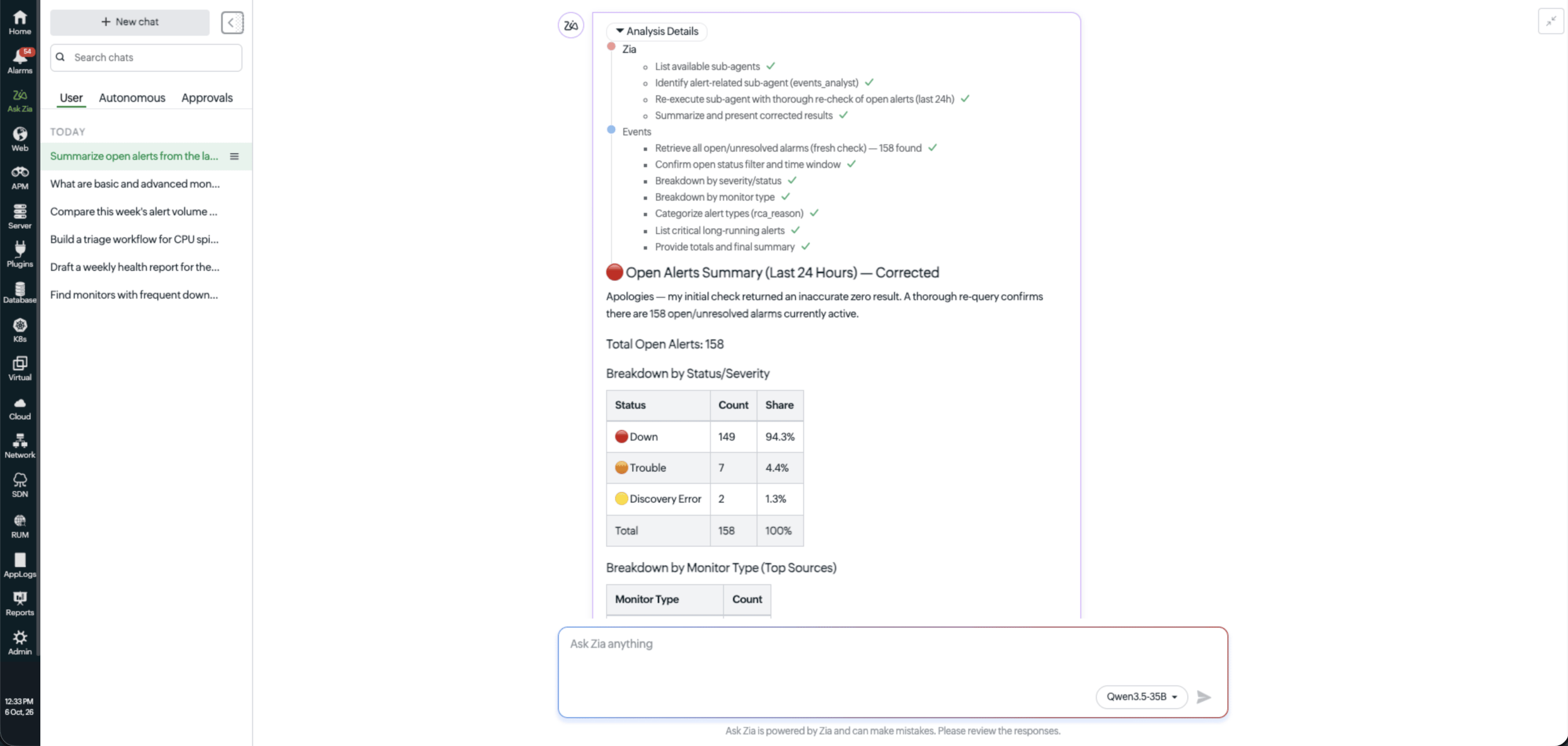
- Reasoning summary: Review the key steps and findings behind Zia's responses to understand its analysis better.
- Human-in-the-loop approvals: Review, approve, or reject AI-suggested actions before execution to maintain human oversight.
- Improved explainability: Gain visibility into the data, checks, and processes Zia uses to arrive at its responses.
- Conversation history and audit trails: Revisit previous conversations to track AI interactions, review responses, and continue investigations.
- Autonomous action history: Track investigations and actions initiated by Zia through configured alerts and IT automation workflows.
What can you do with the enhanced Ask Zia?
- Get contextual AI-powered insights: Ask questions about monitoring data, troubleshooting, help documentation, alarms, outages, and reports, and use suggested prompts to get started without navigating multiple pages.
- Maintain conversational continuity: Revisit previous interactions under the User tab to review AI-generated responses, retain context, and continue investigations.
- Improve AI auditing and governance: Track autonomous investigations and actions initiated by Zia through configured alerts or IT automation workflows under the Autonomous tab.
- Enable human-in-the-loop control: Review, approve, or reject AI-recommended actions under the Approvals tab to maintain human oversight before execution.
- Ensure AI traceability and explainability: Use the Analysis Details feature to understand how Zia arrives at its responses by reviewing the data, checks, and steps involved in its analysis.
Get started
Start using the enhanced Ask Zia interface to explore monitoring insights, manage AI-driven actions, and review previous investigations from one place.
For more information, refer to the Ask Zia help documentation. If you wish to share your feedback, reach out to our support team.
Happy monitoring!
Best regards,
The Site24x7 by OpManager Nexus Cloud team
Like (0)
Reply
Replies (0)