
by Deva Priya
Greetings!
Ever struggled to identify why your GlassFish applications are slowing down, experiencing session issues, or running into resource bottlenecks?
No worries—we've got you covered. Introducing enterprise application monitoring for GlassFish, giving you detailed visibility into JVM performance, thread pools, JDBC resources, request processing, session activity, and more. With real-time insights into your GlassFish environment, you can quickly identify bottlenecks, troubleshoot issues, and maintain optimal application performance.
With this feature, you can:
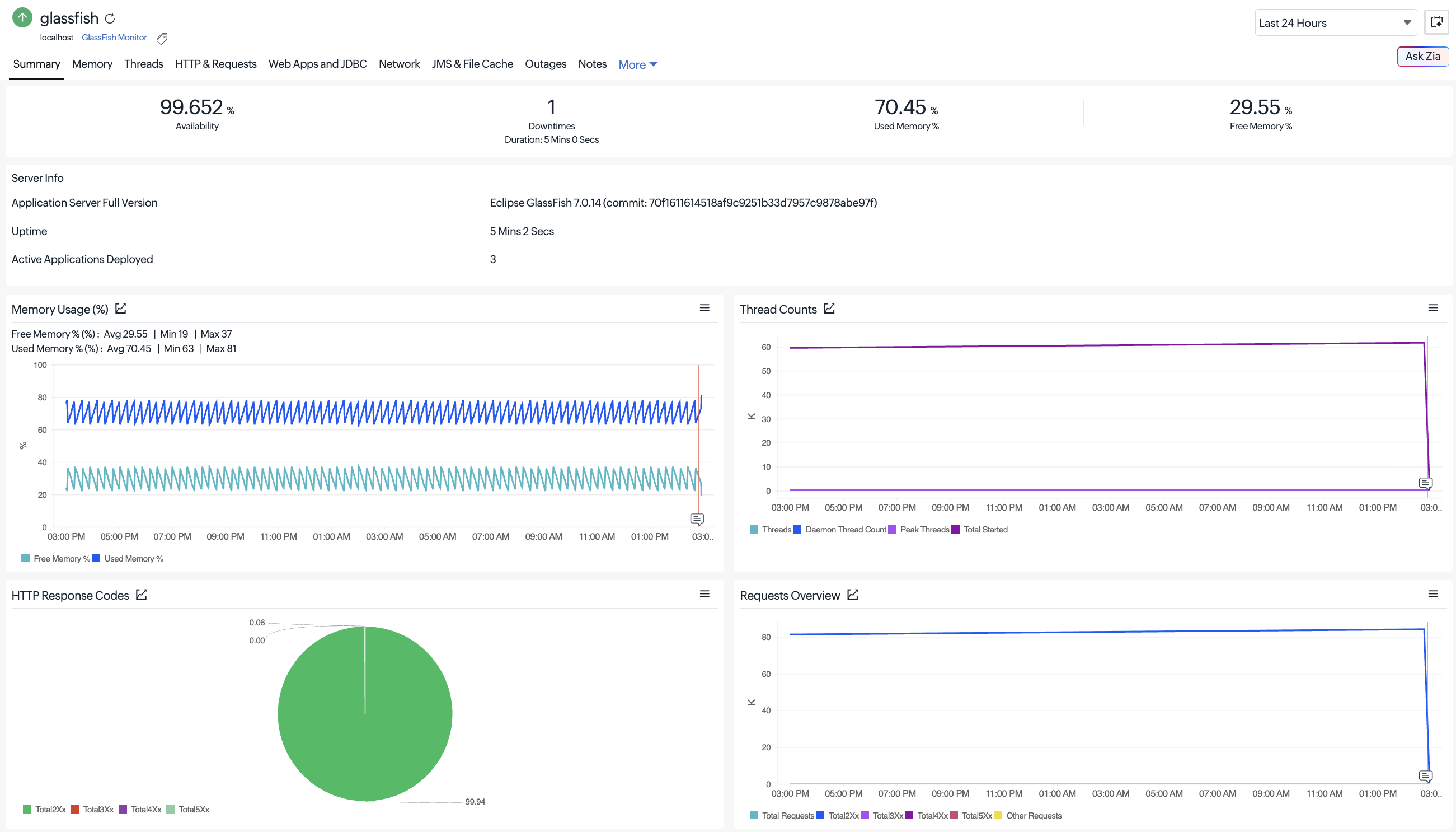
Monitor server and JVM health
- Track JVM memory usage, heap and non-heap utilization, free memory, and uptime.
- Monitor thread activity, loaded classes, deadlocks, and pending object finalization.
- Gain visibility into transaction commits, rollbacks, and overall server availability.
Analyze web application and session activity
- Monitor active, activated, expired, and rejected sessions.
- Track application deployment status and request processing metrics.
- Understand user session behavior and application workload patterns.
Identify thread bottlenecks
- Monitor thread pool utilization, busy threads, and thread execution activity.
- Detect blocked, waiting, deadlocked, and peak thread conditions.
- Quickly identify thread-related performance bottlenecks before they impact users.
Optimize database connectivity (JDBC)
- Track connection pool utilization, free and used connections, and wait queue length.
- Detect connection timeouts and potential connection leaks.
- Identify database access bottlenecks affecting application performance.
Monitor request processing and application responsiveness
- Analyze request throughput, processing time, response status codes, and open connections.
- Track HTTP success, redirection, client error, and server error responses.
- Identify slow requests and application performance degradation.
Gain visibility into JMS resources
- Monitor JMS connection factory performance and resource utilization.
- Track connection acquisition, usage, wait times, and timeouts.
- Detect JMS connection leaks and messaging infrastructure bottlenecks.
Track garbage collection performance
- Monitor garbage collection (GC) frequency and collection time.
- Identify excessive GC activity that may impact application responsiveness.
- Optimize JVM memory management with actionable insights.
Monitor network and caching efficiency
- Track network connection queues, open connections, and queue overflows.
- Monitor file cache performance, cache hits, misses, and memory usage.
- Improve application response times by identifying caching and network bottlenecks.
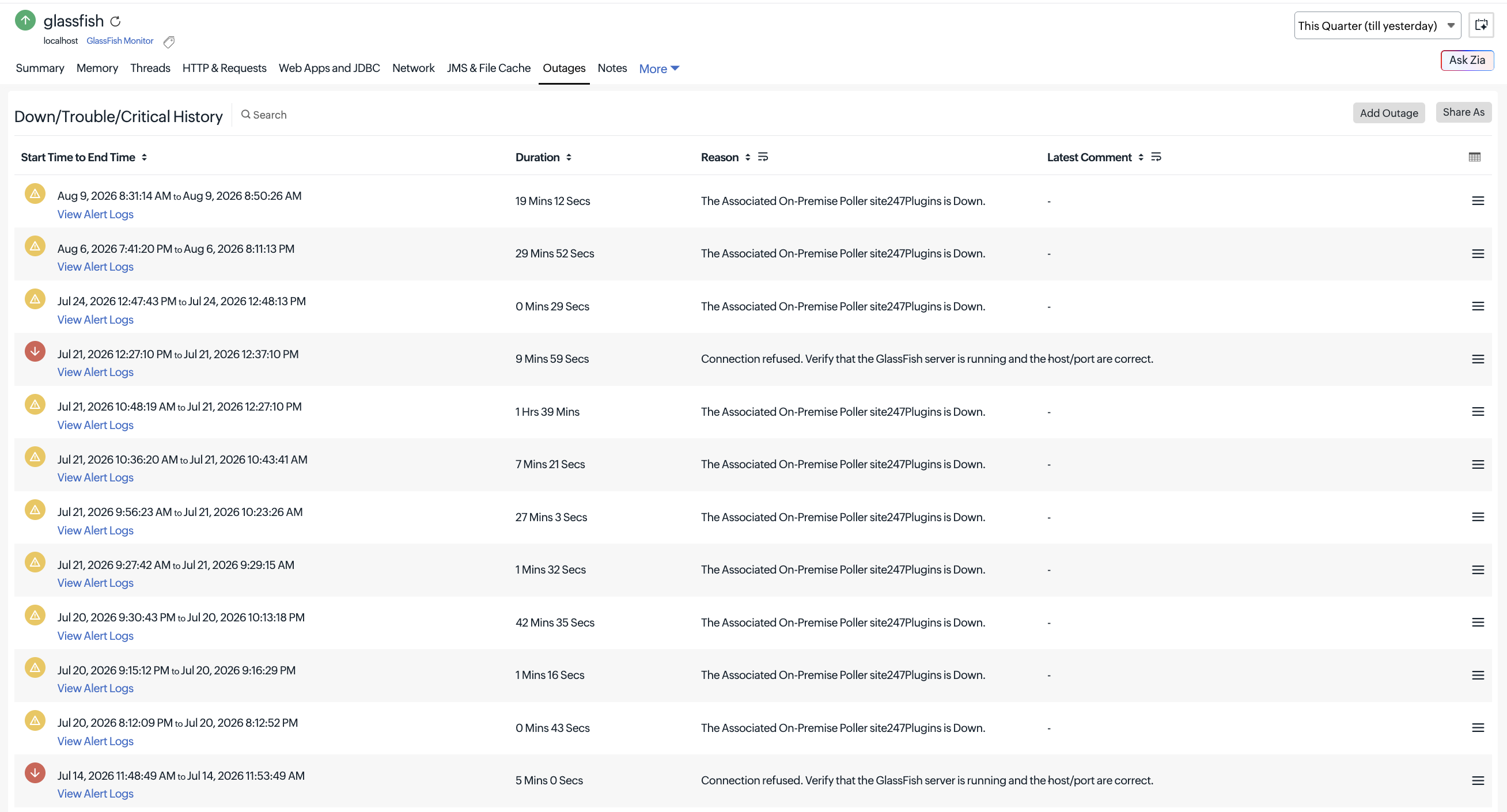
Enable proactive alerting and faster troubleshooting
- Receive real-time alerts when performance thresholds are breached.
- Quickly pinpoint issues across GlassFish components and services.
- Reduce troubleshooting time with comprehensive performance visibility.
Get started
- Navigate to Apps > Enterprise Applications > GlassFish.
- Configure your monitor using an On-Premise Poller and start monitoring your GlassFish environment.
 This feature is supported for GlassFish Server versions 3.x through 7.x.
For more details, please refer to our help documentation.
Have questions or suggestions? Drop them in the comments. We’d love to hear from you!
Happy monitoring,
The Site24x7 team
Like (1)
Reply
Replies (0)