
by Jyotsna R
Hi Site24x7 users,
We’re excited to introduce Customize Email Alerts for MSPs, a new feature designed to help you manage email notifications more effectively.
With it, you can route administrative and licensing email alerts to specific user alert groups instead of default recipients, ensuring that the right teams receive the right emails consistently.
How it helps
With Customize Email Alerts, you can:
- Send mails to the appropriate teams for faster response
- Reduce unnecessary email noise for default users
- Improve accountability with targeted notification delivery
Getting started
- Log in to your Site24x7 MSP account.
- Navigate to Admin > Customize Email Alerts.
- Enable routing and select the required user alert groups.
- Save your configuration.
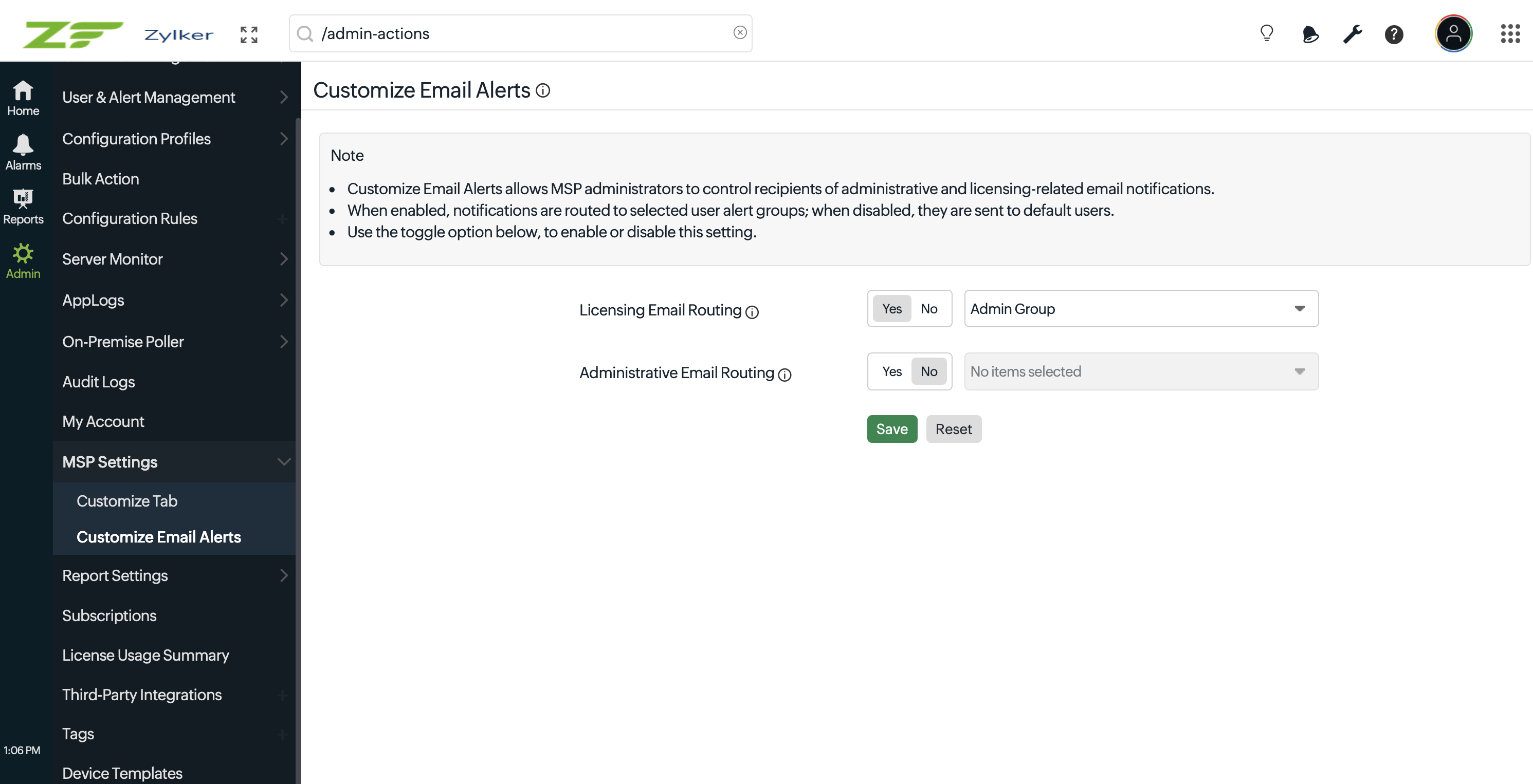
Route smarter, reduce noise, and ensure every alert reaches the right team. Refer to our help document to learn more about Customize Email Alerts.
Feel free to share your feedback or suggestions in the comments below.
Regards,
The Site24x7 team
Like (0)
Reply
Replies (0)