
by Jyotsna R
We're excited to announce a powerful new integration that will transform how you manage customer incidents!
You can now map your Site24x7 MSP customers directly to ServiceDesk Plus accounts, enabling automatic ticket creation from every monitoring alert. Say goodbye to manual ticket routing and hello to streamlined incident management.
How it works
- Integrate SDP MSP Cloud: Create a new integration with ServiceDesk Plus Cloud.
- Map your customers: Connect each Site24x7 MSP customer to their corresponding ServiceDesk Plus portal and customer account (one-to-one mapping).
- Enable auto-ticketing: Once mapped, every Site24x7 MSP customer alert automatically creates a ticket in the right ServiceDesk Plus customer account.
- Keep CMDB updated: Automatically add and update configuration items in the ServiceDesk Plus CMDB based on monitored Site24x7 resources.
- Manage from one place: Track and resolve all incidents with real-time synchronization between both platforms.
Key benefits
- Accurate customer mapping: One-to-one mapping between Site24x7 MSP and ServiceDesk Plus MSP Cloud ensures precise customer alignment.
- Eliminate manual ticket routing: Alerts generate tickets directly in the correct ServiceDesk Plus customer account for accurate incident tracking.
- CMDB synchronization: Keep configuration items up-to-date for each mapped customer across both platforms.
To try it out
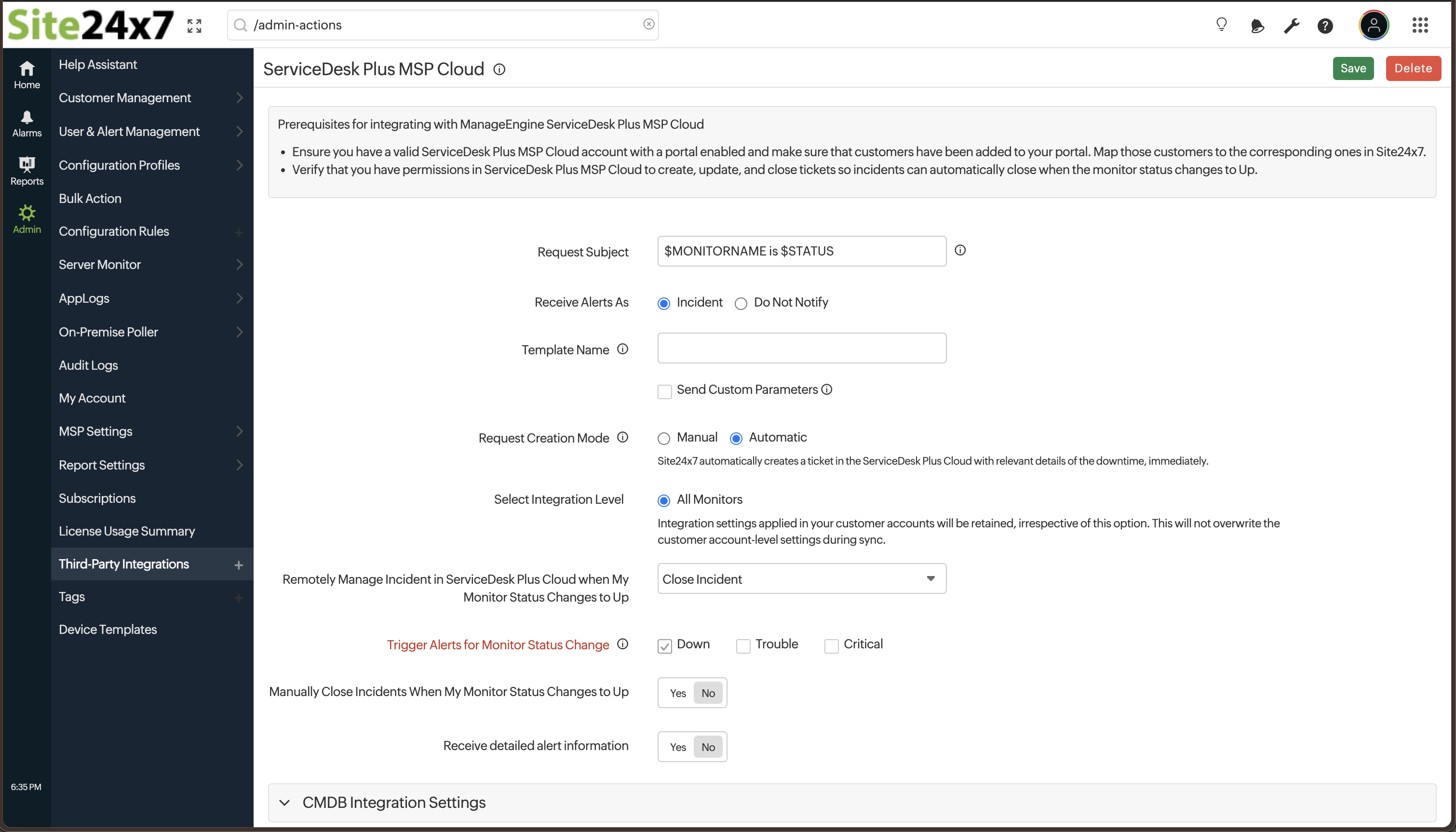
- Login to your Site24x7 account.
- Navigate to Admin > Third-Party Integration > Add Third-Party Integration.
- Create an integration for ServiceDesk Plus MSP Cloud.
- Map your customer to ServiceDesk Plus customer either in Add Customer or Edit Customer pages. [Note: Applicable only for MSP accounts]
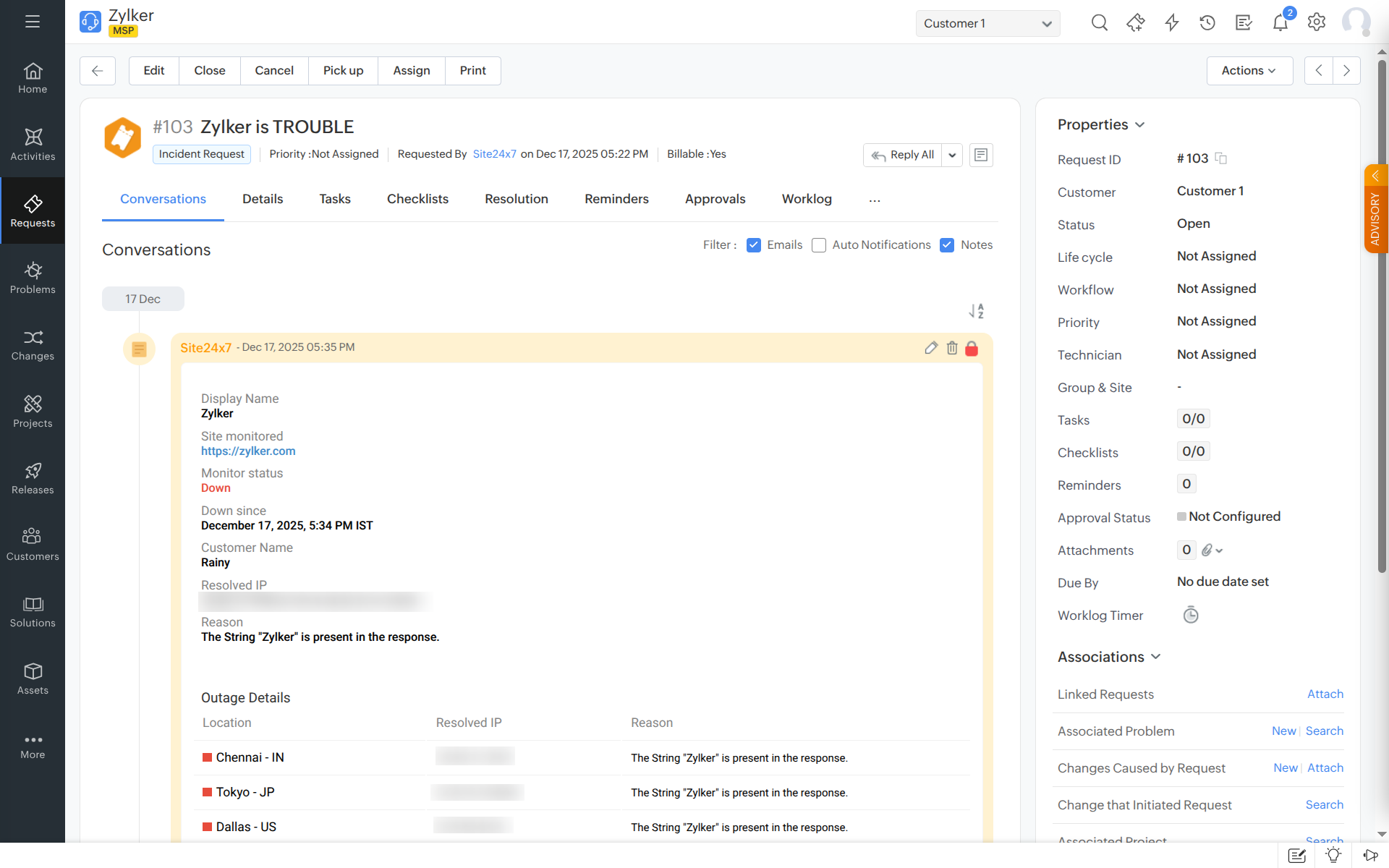
For more details, please refer to our help documentation.
We value your feedback—feel free to share your thoughts and suggestions in the comments below!
Best regards,
The Site24x7 team
Like (0)
Reply
Replies (0)