
by Jyotsna R
Hi there,
We’re excited to introduce the iOS27 features in Site24x7 mobile app. With extra‐large widgets, on-screen awareness powered by Siri AI, adaptive Liquid Glass visuals, and Siri AI actions through Spotlight, you can monitor your IT environment and respond to issues more efficiently while on the go.
Features of iOS 27 in Site24x7
The Site24x7 mobile app supports the latest iOS 27 capabilities, including extra-large widgets, on-screen awareness, transparency and opacity adjustment of the Liquid Glass, and Siri AI for a smoother monitoring experience.
Key features
The following iOS 27 features are supported in the Site24x7 mobile app:
Extra large widgets
Extra large widgets provide a broader, consolidated view of alarms, monitor groups, and monitor statuses. They are supported for the Operations View of the monitors and Monitor Groups.
- Operations View widget: View alarm status counts at the top and recent alarms at the bottom of the widget. The recent alarms can include alarms assigned to you or another technician, as well as unassigned alarms. Tap an alarm to navigate to its Alarm Details page, or quickly pick an alarm directly from the widget if the alarm is mapped to you.

- Monitor Groups widget: Edit the widget card and select a Monitor Group from the list. The widget displays the statuses and counts of the monitors in the selected group in a single view. You can also view the statuses of all monitor groups. Tap a monitor to navigate to its Monitor Details page.
Easily switch to a different monitor group directly from the widget whenever needed.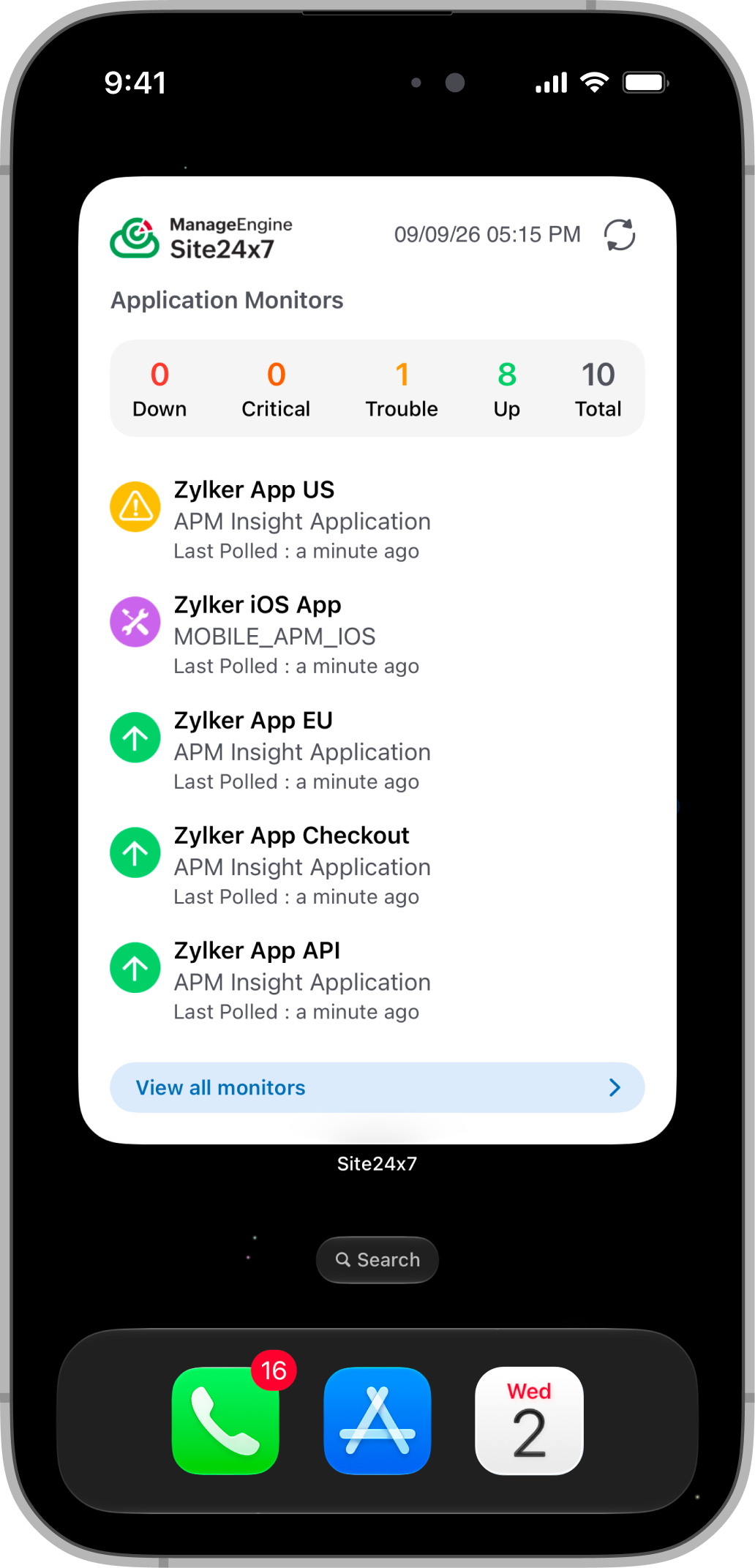
Benefit: Gain an at-a-glance view of alarms and monitor health directly from your Home Screen without opening the Site24x7 app.
On-screen awareness
Use Siri AI to summarize and understand the information displayed on the Monitor Details, Alarm Details, and Anomaly Details pages.
Open any of these pages and ask Siri to summarize the on-screen information. Siri analyzes the displayed details and provides a concise summary about the details on the screen. You can also ask follow-up questions about the displayed information. The conversations are automatically saved in the Siri app.
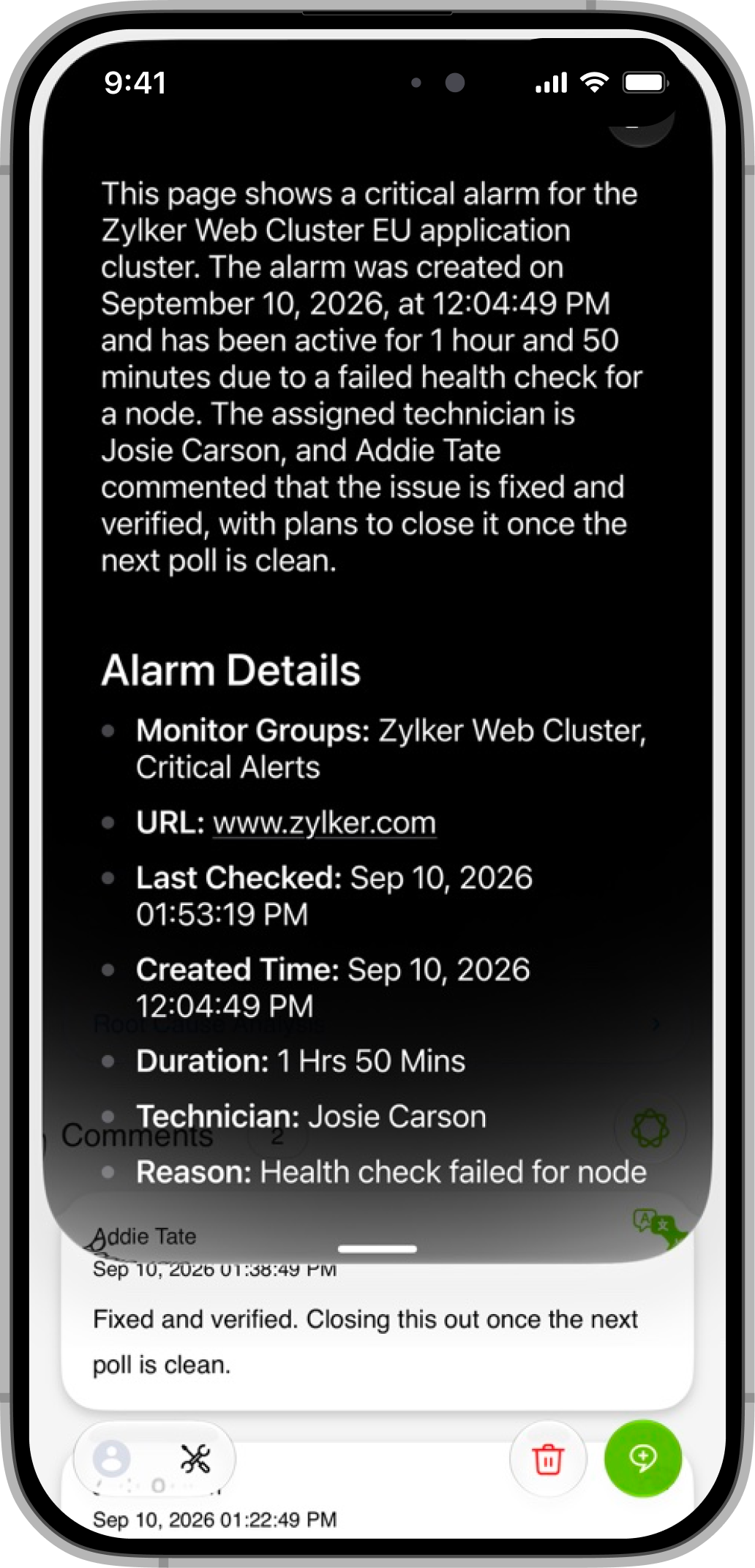
Benefit: Quickly understand monitor, alarm, and anomaly details without manually reviewing all the information on the page.
Liquid Glass optimization
The app’s transparency and opacity automatically adapt to your device’s system settings for improved visibility. Any opacity adjustments made in the system settings are applied directly to the Site24x7 app.

Benefit: Customize the app’s visual appearance to improve readability and ensure a comfortable viewing experience.
Take action on alarms with Siri AI in Spotlight
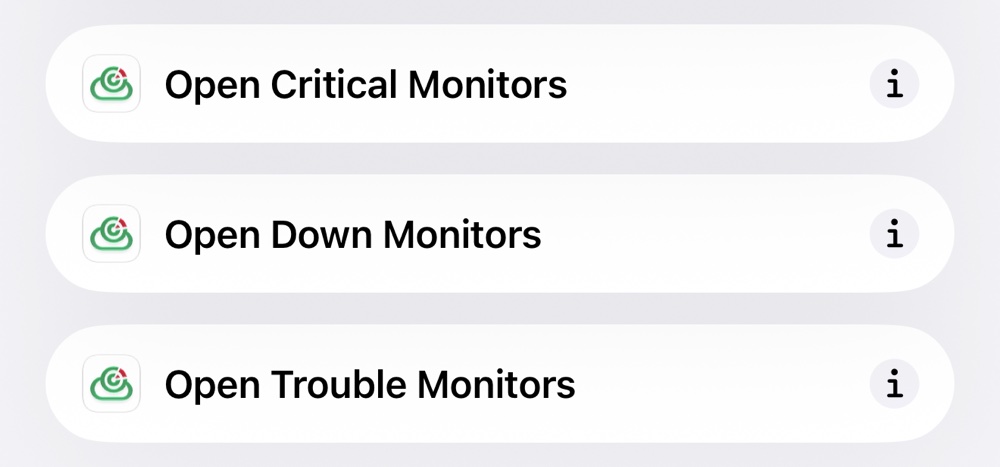
Use Siri AI to perform key actions on alarms and monitors through Spotlight. Type Add Comment or Assign Technician to display a list of alarms, then select an alarm to perform the corresponding action. You can also open monitors with Down, Critical, or Trouble statuses directly from Spotlight. For example, enter Open Down Monitors to view all monitors with a Down status on the Monitors page.
Benefit: Quickly access monitors and take key incident-management actions on alarms through Spotlight, enabling faster responses while on the go.Whether you’re managing applications, servers, networks, or web environments, Site24x7 for iOS 27 gives you greater visibility and control—anytime, anywhere.
Update the app today and experience a smarter, faster, and more intuitive way to manage IT observability on the go.
Best regards,
The Site24x7 team
Like (0)
Reply
Replies (0)