User Management
Role-based access permissions
You can provide users with various access permissions based on the functions that they perform with your Digital Risk Analyzer account.
The following are user roles in Digital Risk Analyzer, which can be assigned to a particular user:
| Role | Access permissions |
| Digital Risk Analyzer Admin | Digital Risk Analyzer Admins will have complete access to Digital Risk Analyzer account. |
| Digital Risk Analyzer User | Digital Risk Analyzer user will have read-only access to the modules of the product. |
Add/Manage Users
You can add users by logging in to Digital Risk Analyzer, and then navigating to Profile > User Management to select the Add User button. You can then add users or manage the existing users in Digital Risk Analyzer.
User Groups in Digital Risk Analyzer
Organize individuals into groups to receive reports based on their roles and responsibility. User groups ensure that the right people are informed at the right time, reduces unnecessary notifications, and helps teams respond faster to issues for which they are responsible.
Follow the steps below to configure user group:
- Log in to Digital Risk Analyzer.
- Navigate to Admin > User Management. This will take you to the Site24x7 User Management page.
- From the left navigation menu, navigate to Admin > User Management > User Groups.
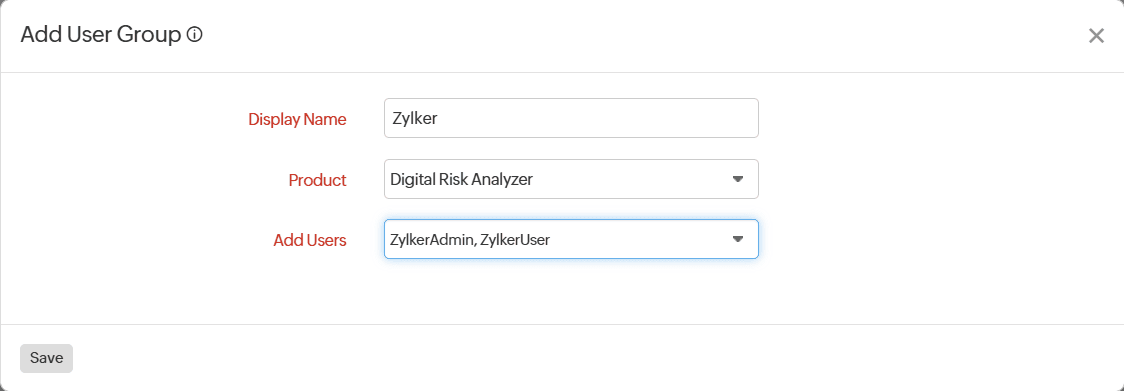
- Click Add Group and fill in the form.
- Display Name: Provide a name for the group you want to create.
- Product: Select Digital Risk Analyzer from the drop-down menu.
- Add Users: Select the users you want to include in the user group.
- Click Save.