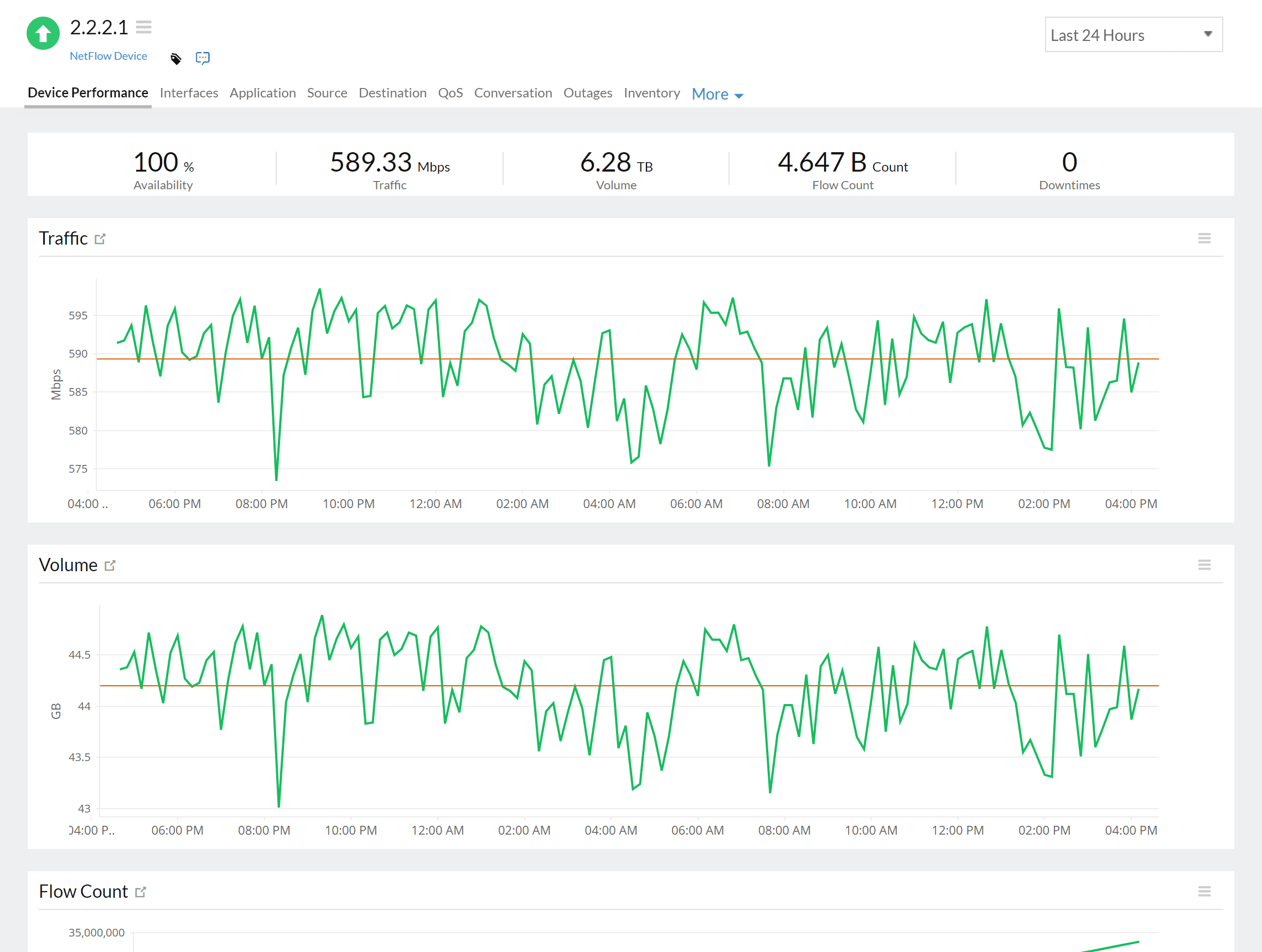


Business-critical applications must run without interruptions. Additionally, there can be no interruptions in a workplace that is increasingly global and fluid. These changes introduce new challenges for network admins, who must ensure that all devices on their network can transfer and receive data without interruptions.
A network bandwidth monitoring tool helps:

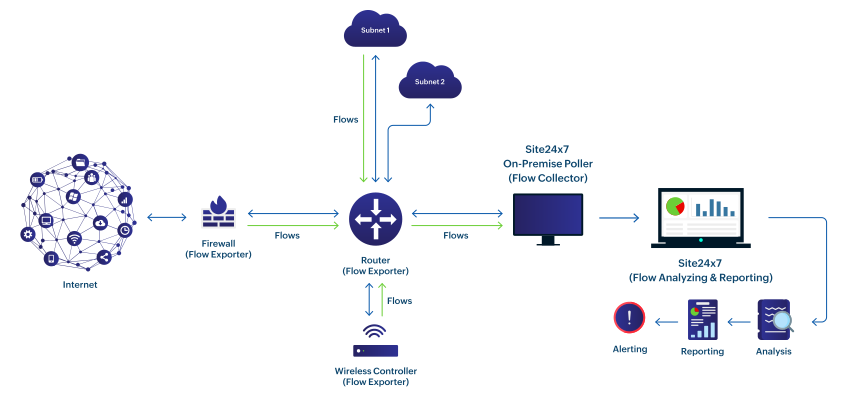
Flows exported to Site24x7's NetFlow Analyzer help you interpret how the network bandwidth is used in real time.

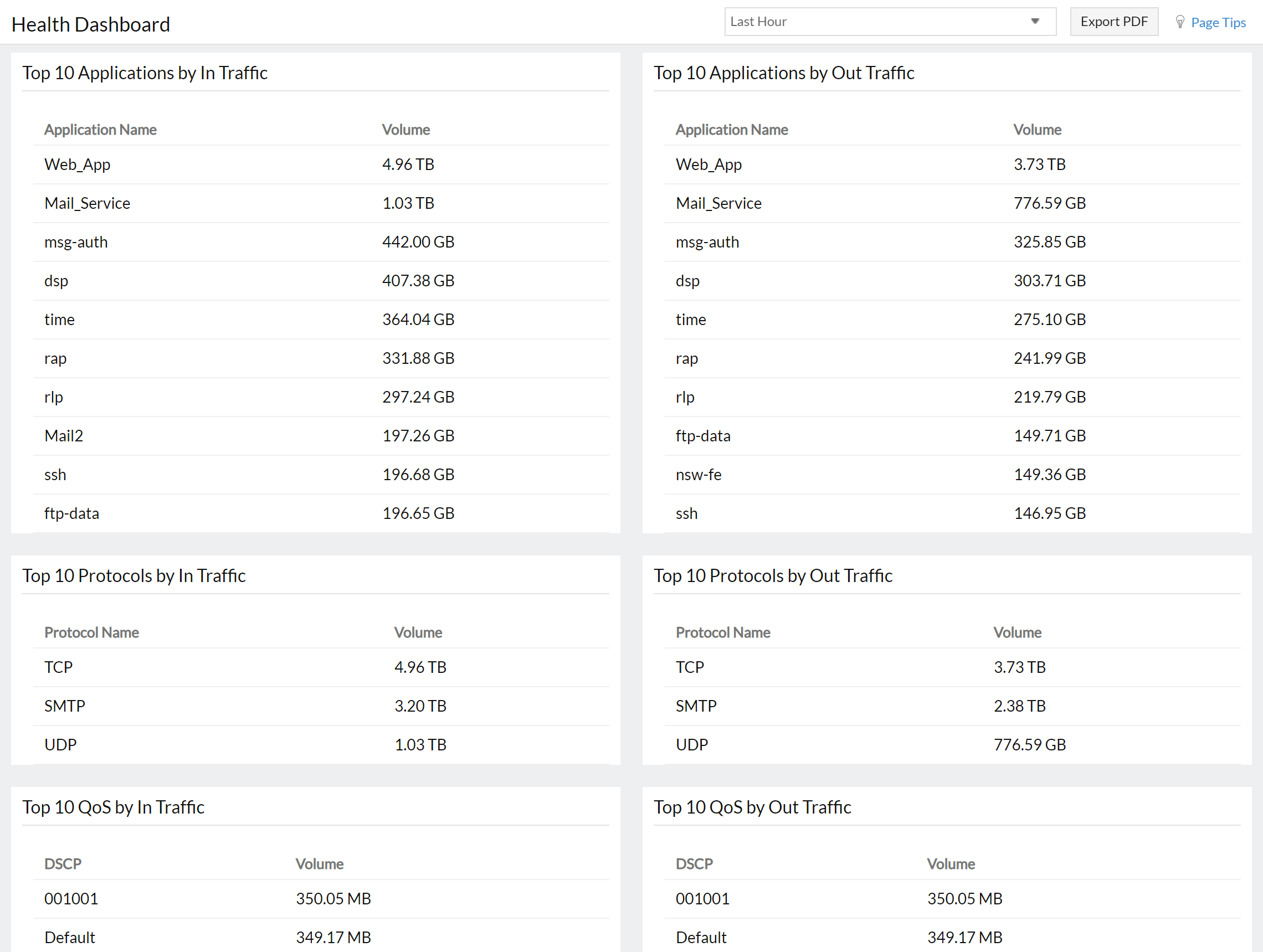
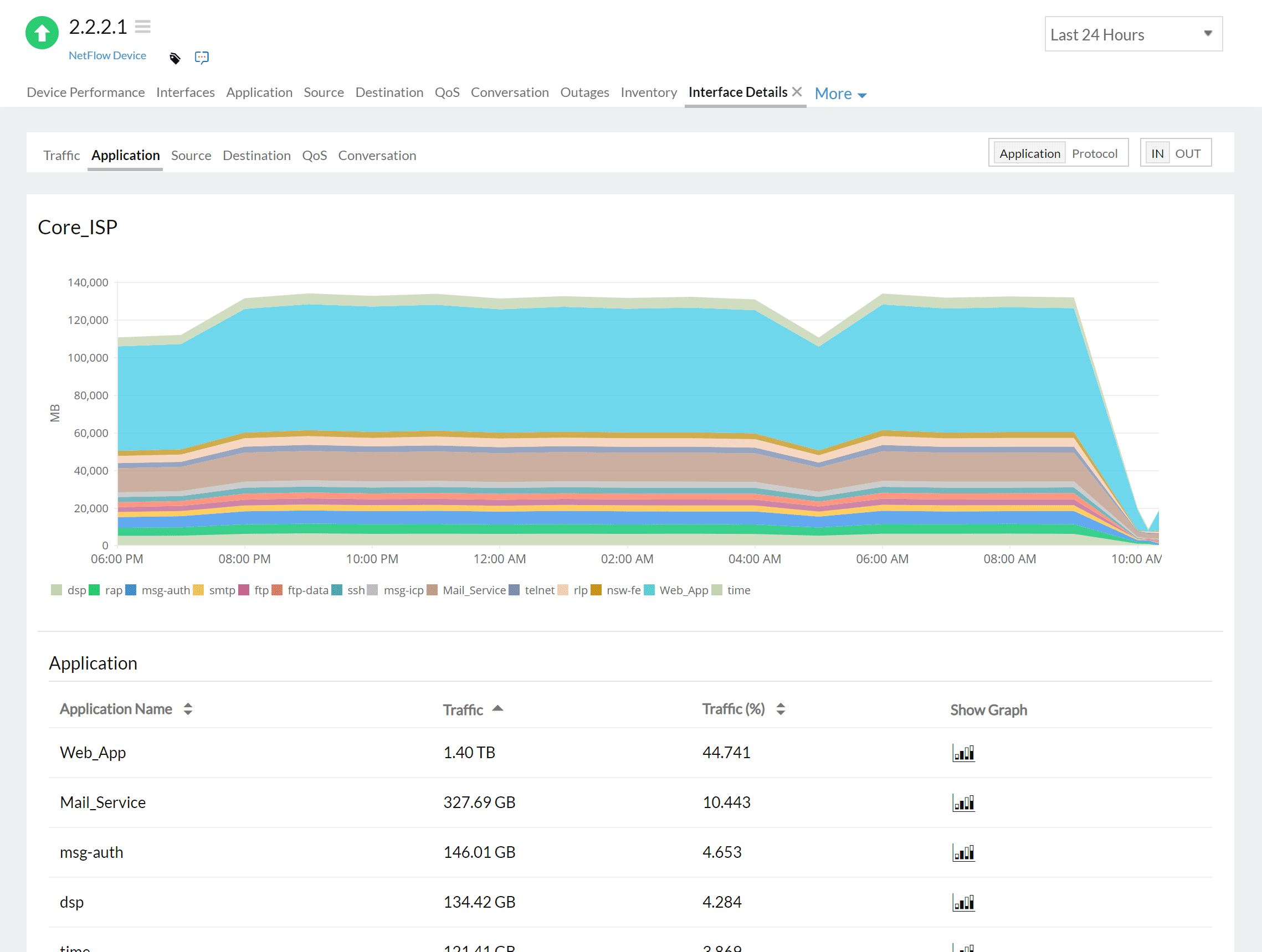
Discover which applications consume the most bandwidth and which ones are the top talkers in the network.

Intuitively identifies if there's more traffic as compared to the bandwidth, as this will directly affect the network performance.

Prevent distributed denial-of-service attacks by constantly monitoring traffic and measuring bandwidth usage over time to intuitively identify anomalies.

Alerts you about abnormal network behavior, like high bandwidth utilization, and tackles security issues by helping identify suspicious activity.

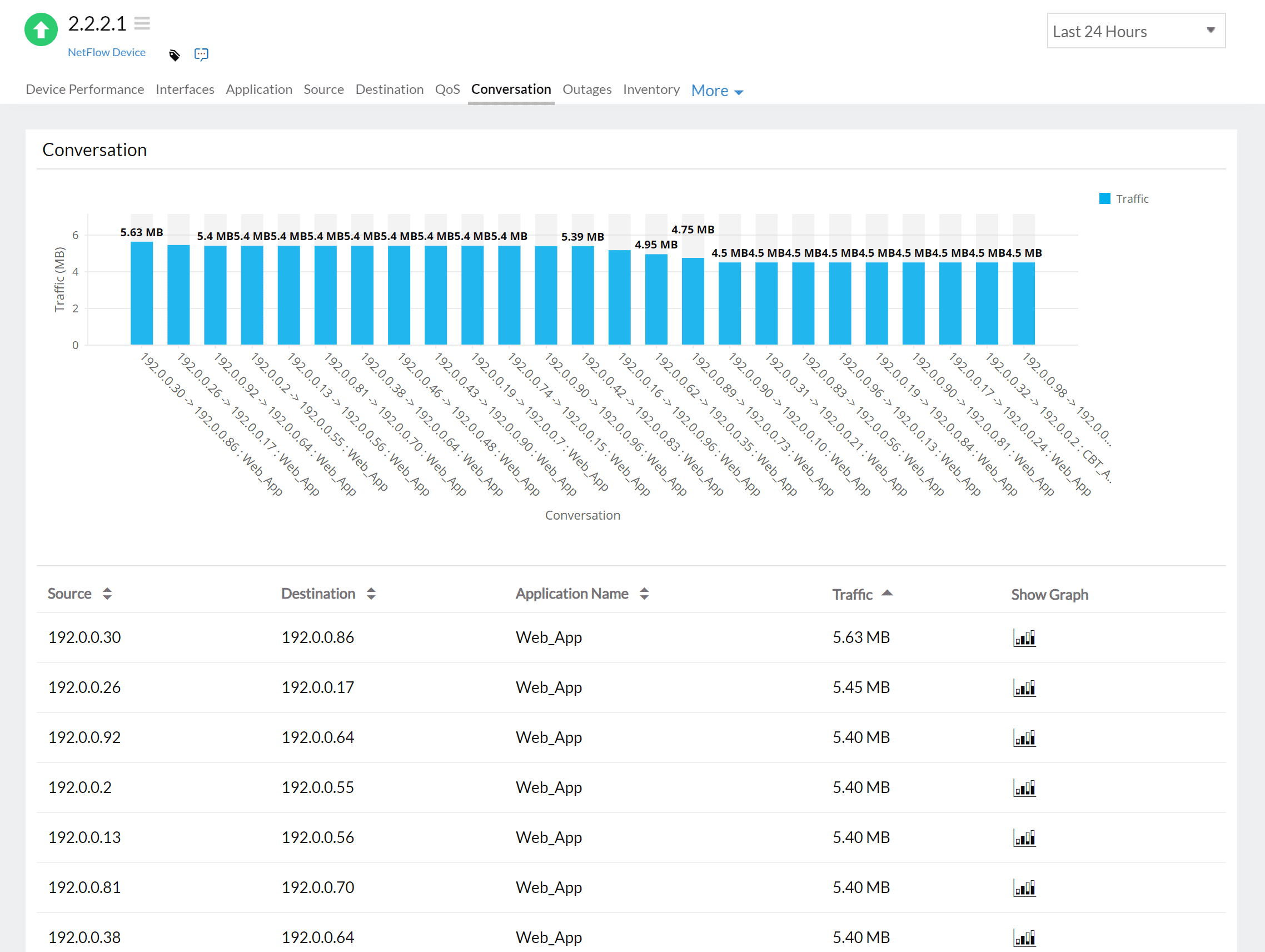
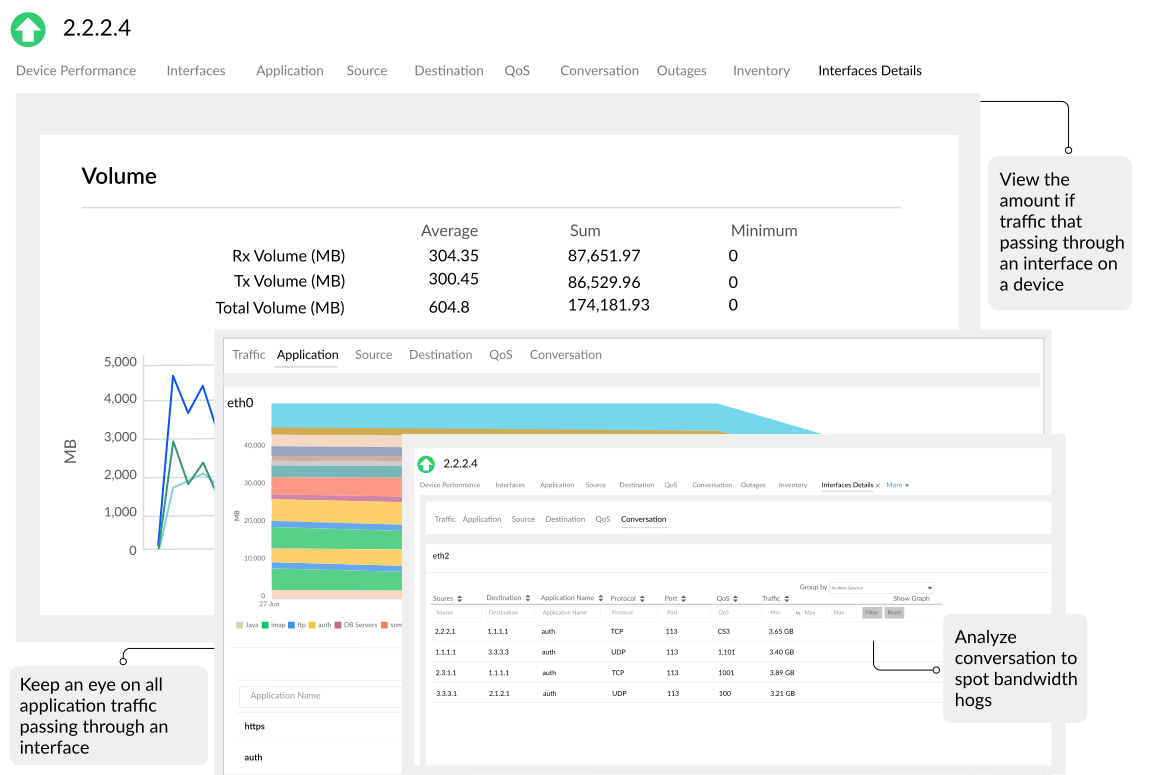
Analyze bandwidth based on application, conversation or quality of service (QoS) with detailed bandwidth reports that help analyze and drill-down to the cause.
Imagine you are in a web conference using a meeting app with colleagues from different countries. While explaining a critical point, you realize that no one can hear you. Does this sound familiar? Monitoring your network bandwidth ensures you can avoid this situation.
This and other disruptive issues can happen if an organization has 100 employees using the internet simultaneously. Monitoring the network bandwidth can help prevent the connection from slowing down, or verify if a business-critical application is not performing as expected. With a network bandwidth monitoring tool, network admins can view which conversations or devices use more bandwidth, and help avoid bandwidth shortages or bottlenecks. Also, admins can easily detect bandwidth hogs. They can receive proactive information about bandwidth issues in the network so they can take simple measures, like switching to a different network, to maximize network performance and ensure no dip in productivity across the organization results.
Ensuring uninterrupted connectivity is a significant advantage of bandwidth monitoring, and helps admins keep the network secure. Bandwidth monitoring enables admins to quickly identify if there are any large data-transfers between devices that seem out of the ordinary.

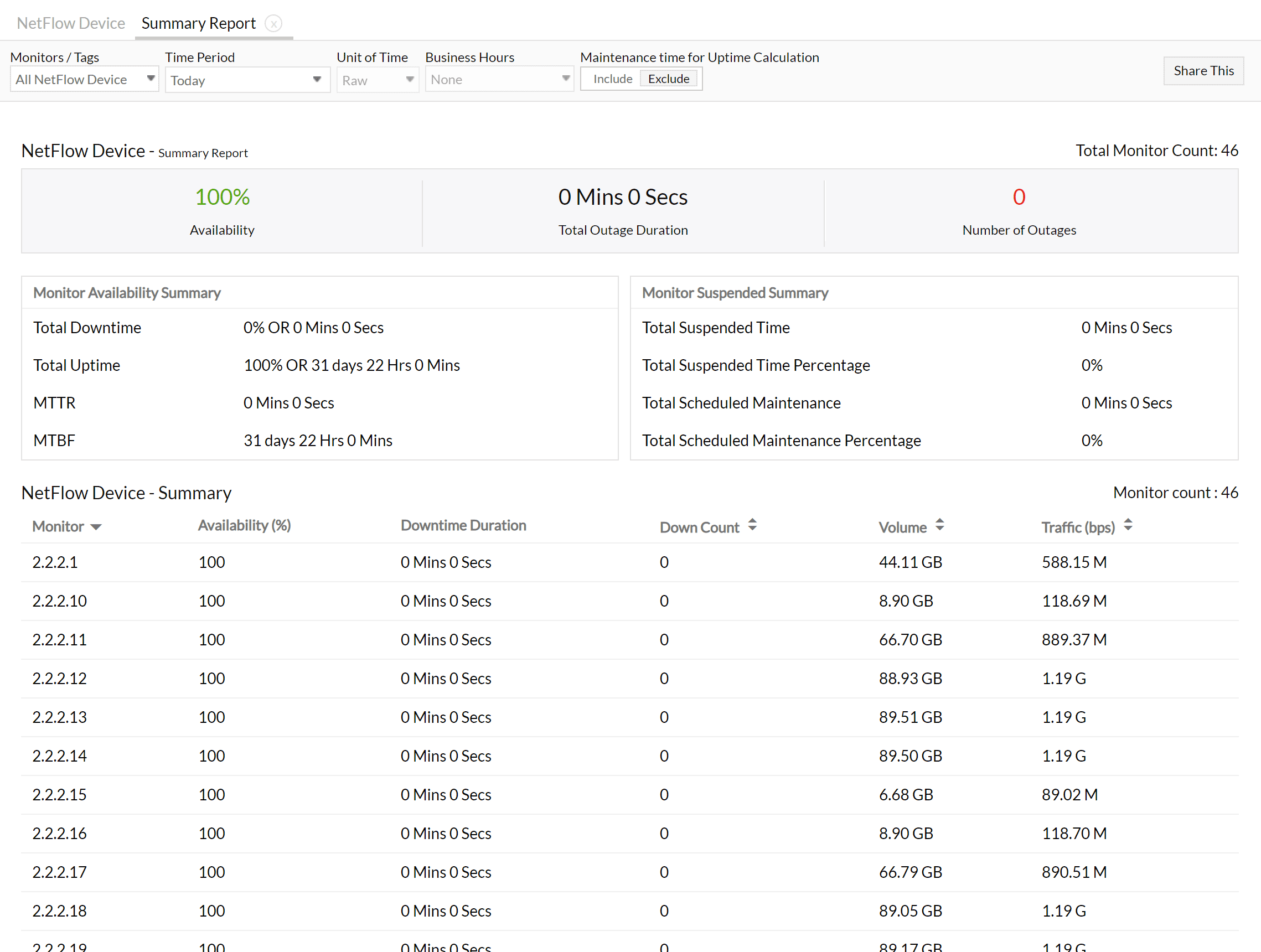
Site24x7 delivers complete visibility into your network by monitoring your source and destination devices, their interfaces, and the traffic flowing through them. It also provides stats on peak traffic, surges in traffic volumes, application and interface traffic, and bandwidth-hogging conversations. With interface-level details along with insights based on the IP address, application, and protocol, you can view your monitoring data from dashboards and consolidated reports. Also, this network traffic tool helps you analyze flows based on various technologies, like NetFlow, sFlow, and J-Flow.
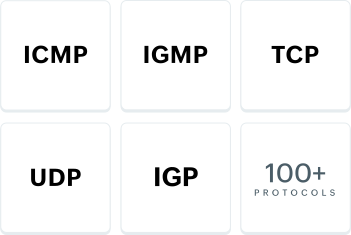
Site24x7 supports all leading flow technologies available in the market.

Bandwidth is the maximum amount of data that can be transmitted via a network link in a given time. It is typically measured in bits per second and is crucial for determining the speed and capacity of a network. A higher bandwidth allows for faster data transfer speeds, while a lower bandwidth can result in slower performance and potential congestion. Bandwidth is an important factor to consider when setting up and managing networks, as it directly impacts the efficiency and reliability of data transmission.
Bandwidth refers to how much data can be sent or received over the network. However, speed refers to how fast data can be transmitted or received at any moment. For example, while downloading a large file, you can view the download speed on your browser.
Bandwidth monitoring is a way to analyze your network bandwidth usage to identify anomalies, view top talkers, and spot bandwidth hogs.
Disruptions in network connectivity often lead to loss of customer interest and employee productivity. Proactively monitoring, identifying, and preventing bandwidth issues helps ensure your network is reliable and bandwidth is allocated for the right purpose.
A bandwidth monitoring tool helps network administrators monitor bandwidth usage and analyze traffic. It also helps troubleshoot the origin of the issue, when and if there is one. To gain control of your network bandwidth, an ideal bandwidth monitoring tool must be able to show which IP, application, or port requires attention, so that the other users in the network have sufficient bandwidth.
Site24x7's bandwidth monitoring tool helps:
When there are productivity issues, most organizations opt to increase the bandwidth that might not be used for the intended purpose. Conversely, when there is a large amount of network traffic, security risks increase. In both cases, controlling bandwidth can resolve performance issues, save on costs, and prevent security risks.
You can achieve bandwidth control through real-time monitoring and configuring QoS policies. Site24x7's NetFlow Analyzer helps you gain complete control of the bandwidth usage in your network so you can employ traffic-moderating strategies. These strategies help you to:
Here are a few tips to help you easily monitor bandwidth usage on your network and troubleshoot issues, if there are any.
Hybrid workplaces, and global organizations bring new challenges for admins to monitor their network. With increasing attacks on organizational networks, it is important to use a secure tool that can:
Site24x7 focuses on flow-based monitoring rather than full per-packet capture. Since sFlow includes packet sampling technology that captures every nth packet, it provides deeper visibility than purely aggregated flow data.
Yes. With Site24x7’s flow-based analytics, you can pinpoint top talkers, applications, conversations, interfaces, and endpoints that consume the most bandwidth. By correlating this data with your network topology, you can easily trace which branch, VLAN, or segment is responsible for high traffic usage.
Yes. Site24x7 supports bandwidth monitoring across virtual and cloud infrastructures. Integrations such as AWS VPC monitoring let you track traffic volumes, packet counts, and protocol usage within your VPCs, subnets, and interfaces. Similar visibility is available for Azure and VMware environments, ensuring unified monitoring across on-premise and cloud networks.
While Site24x7 does not decrypt encrypted payloads, it uses flow metadata—including source and destination IP addresses, ports, protocols, and application templates—to infer application-level usage. This enables you to identify which encrypted applications or services are generating high traffic without compromising data privacy.
Bandwidth and flow data are updated in near real time, depending on the export interval configured on your network devices. Site24x7 processes flow records as they’re received to reflect current bandwidth usage. For cloud-native monitors such as AWS VPC, data is typically refreshed every 15 minutes by default.
Yes. Site24x7 can automatically detect and alert you to abnormal bandwidth usage, unexpected top talkers, or new traffic patterns. You can configure custom thresholds for bandwidth, interface utilization, and flow behavior to receive alerts when anomalies occur, enabling you to act quickly and prevent congestion or potential security issues.