Zia Assistant
Zia Assistant is an AI-powered virtual assistant in Site24x7 that enables users to perform common operational tasks using natural language prompts. It addresses everyday challenges such as manual scripting, complex log parsing, and gaps in custom monitoring by generating automation scripts, server commands, log parsing patterns, and custom plugin scripts on demand. Zia Assistant processes requests independently and does not preserve conversational context, ensuring secure interactions that are limited to the current task only.
Use cases
- Generate IT automation scripts and server commands using natural language.
- Create log parsing patterns from sample log data.
- Build custom monitoring plugins without manual scripting.
- Execute IT automations using simple natural language prompts.
Accessing Zia Assistant in Site24x7
To access Zia Assistant follow the steps below:
- Log in to Site24x7.
- Add the Zia integration to your account to enable the Zia Assistant service.
Generate IT automation scripts and server commands
Zia Assistant helps you generate scripts and commands for Server Script and Server Command automation templates using natural language prompts in IT automation .
You can:
- Create automation scripts without writing code manually.
- Generate platform-specific commands quickly.
- Use the generated output directly in the IT automation workflow.
For example, you can ask Zia Assistant to generate a shell script to restart a service or a command to clear disk cache on a server and directly use the generated output in your IT automation templates without writing the script manually. To start generating scripts and server commands, follow these steps:
- From the left menu, navigate to Admin > IT Automation Templates.
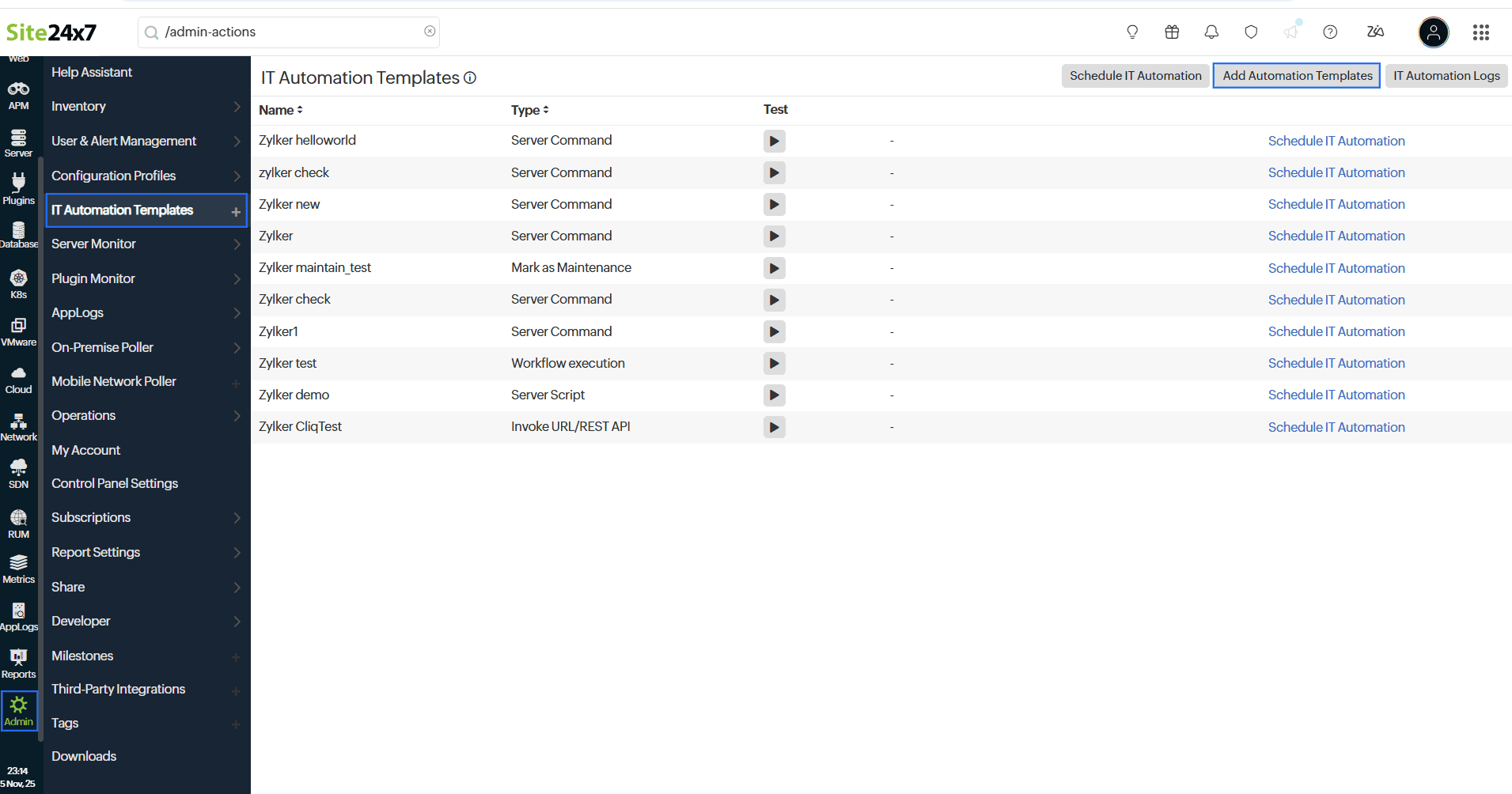
- Click Add Automation Template and enter the Type, Display Name, OS Platform, and other details in the pop-up window.
- Beside Script Format, click Zia Assistant.
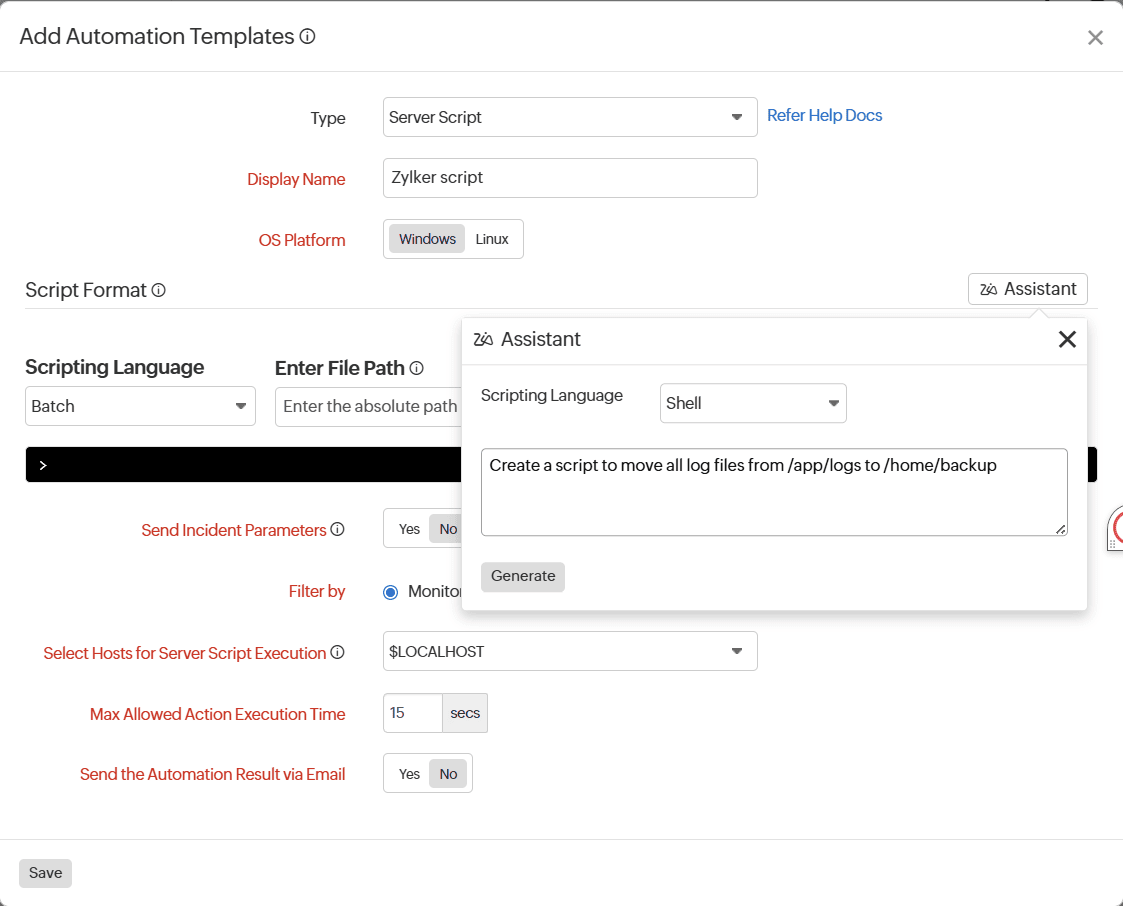
- In the Zia Assistant pop-up, select the Scripting Language, enter your natural language prompt describing the required script, and click Generate.
- Click Download Script if the script meets your expectations or provide clarity or suggestions in the text box and click Regenerate.
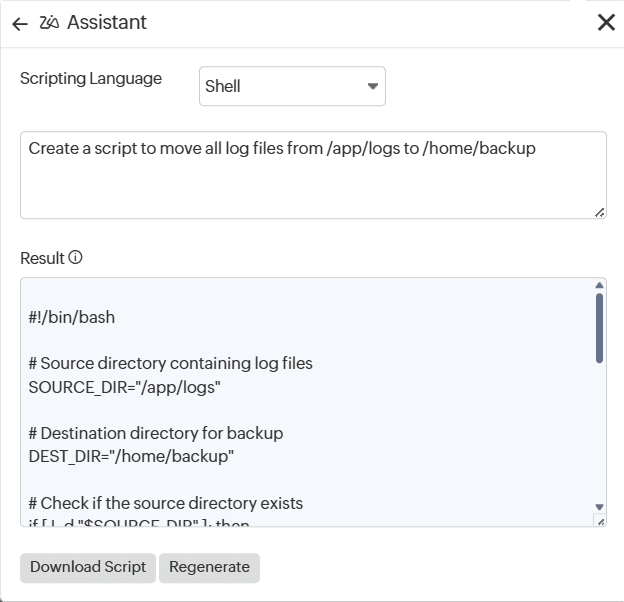
- Upload the script to the IT automation and click Save.
NoteYou can use Zia Assistant in IT automation only for Server Script and Server Command generation.
Automate log parsing with Zia Assistant
Zia Assistant simplifies log configuration by generating parsing patterns from sample log data in AppLogs.
In AppLogs, you can use Zia Assistant to:
- Analyze sample log entries.
- Automatically generate log patterns.
- Apply them to parsing configurations.
For example, when you provide a sample log entry like:
ERROR 2026-01-28 14:32:10 Connection timeout for service auth-api
Zia Assistant analyzes the structure and generates a parsing pattern such as:
LEVEL | DATE | TIME | MESSAGE
This pattern can then be used in AppLogs to parse logs without manually creating complex expressions.
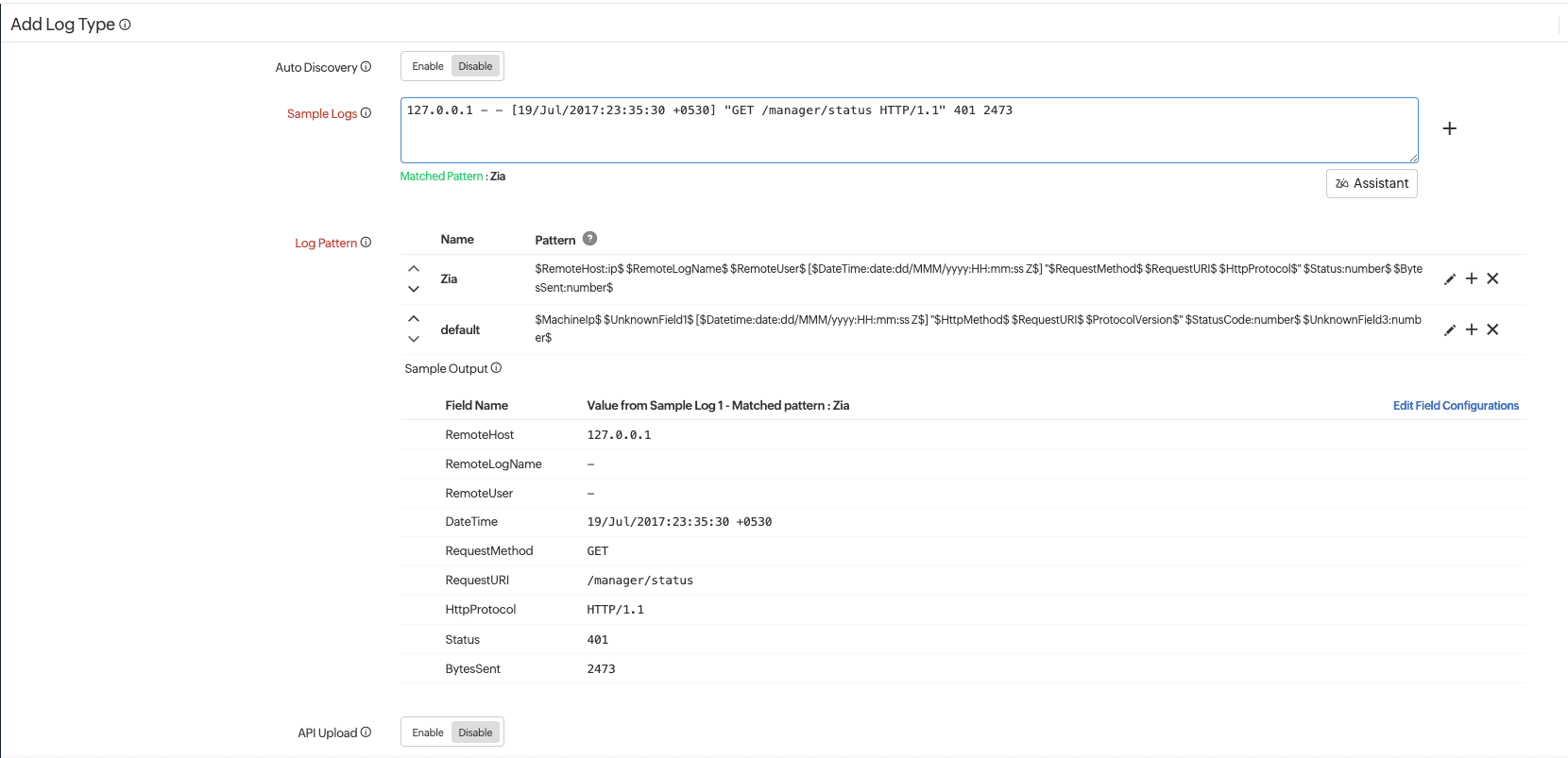
To generate a pattern for sample log data to parse configurations, follow the steps below:
- From the left menu, navigate to Admin > AppLogs > Add Log Type.
- In the AppLogs pop-up, click Create a custom log type.

- On the Add Log Type form, enter the Log Type, Display Name, Search Retention, and enable Auto Discovery.
- Click Zia Assistant below the Sample Logs text box, provide the sample log pattern, and click Generate.
- Click Move to Editor if the pattern meets your expectations or provide clarification or suggestions in the text box and click Regenerate.

- Click Save and proceed to add a Log Profile.
Build custom plugins using Zia Assistant
Leverage Site24x7’s integration with Zia to quickly generate custom monitoring scripts in Python, Shell, PowerShell, VBScript, Batch, or DLL without writing code manually.
Use this feature to build plugins that monitor custom applications, services, or metrics not natively supported by Site24x7, and get instant visibility into your critical systems.
NLP log search using Zia assistance
Accelerate log analysis with Zia-powered NLP-based AppLogs search feature. Describe the information you need in plain English, and Zia converts your request into a structured query language. You no longer need to learn query syntax to find relevant logs—Zia returns matching results instantly.
Before getting started, complete the prerequisites. This includes having an active log type with log data.